The Custom VRChat Avatar Creator For Building A Character That Feels Like Yours

Create a custom VRChat avatar online from your own prompt, character concept, or reference images. Generate a personalized 3D avatar, refine the style, add textures, auto rig the model, and keep improving the same asset in one creator workflow.
See How It Works

A creator workflow built for custom VRChat avatars

This is not just a random avatar generator. It is a custom avatar creator for VRChat users who want a personal character, a smoother workflow, and an asset they can keep refining.

Create your own custom VRChat avatar

Generate from text or reference images

Build a personalized 3D avatar base

Refine texture, style, and details

Auto rig for next-step workflow

Preview and download custom results

Create a custom VRChat avatar instead of borrowing someone else’s look

People searching for a custom VRChat avatar creator usually want more than a public avatar. They want a personalized identity, more control over style and references, and a better way to move from concept to a previewable 3D asset.
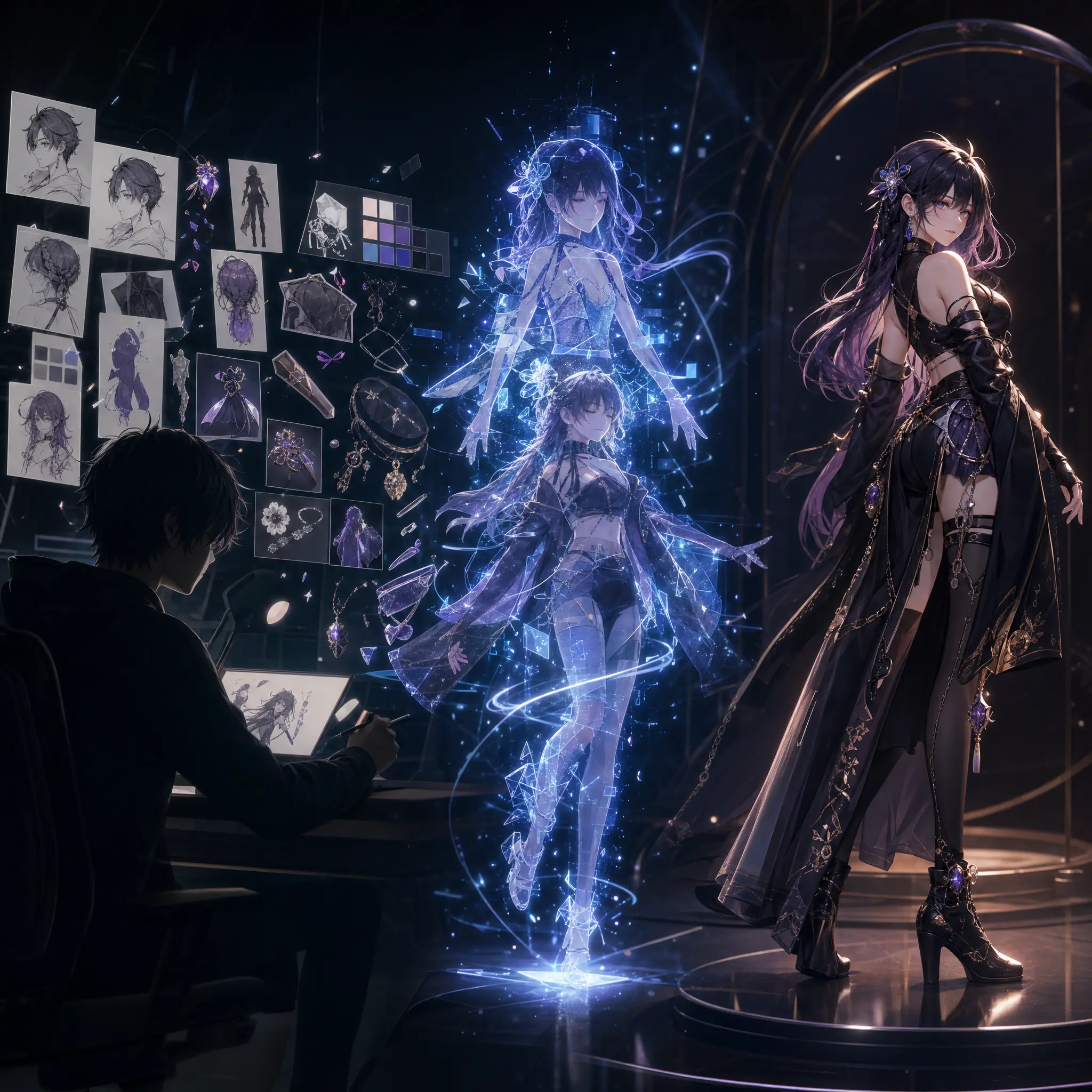
Start from your own character direction

Use a text prompt, a character reference image, or a multi-view sheet to describe the custom avatar you actually want.

Turn ideas into a personalized 3D avatar

Generate a custom avatar base that can be previewed, improved, and carried forward into later workflow steps.

Keep refining the same avatar asset

Add texture, preview rigging, and continue iteration instead of treating the result like a one-time output.
Custom VRChat avatar creation flow from character concept and references to a previewable personalized 3D model

Why use a custom avatar creator for VRChat

A custom VRChat avatar creator should help you do more than generate something fast. It should help you build something personal, reusable, and worth refining.
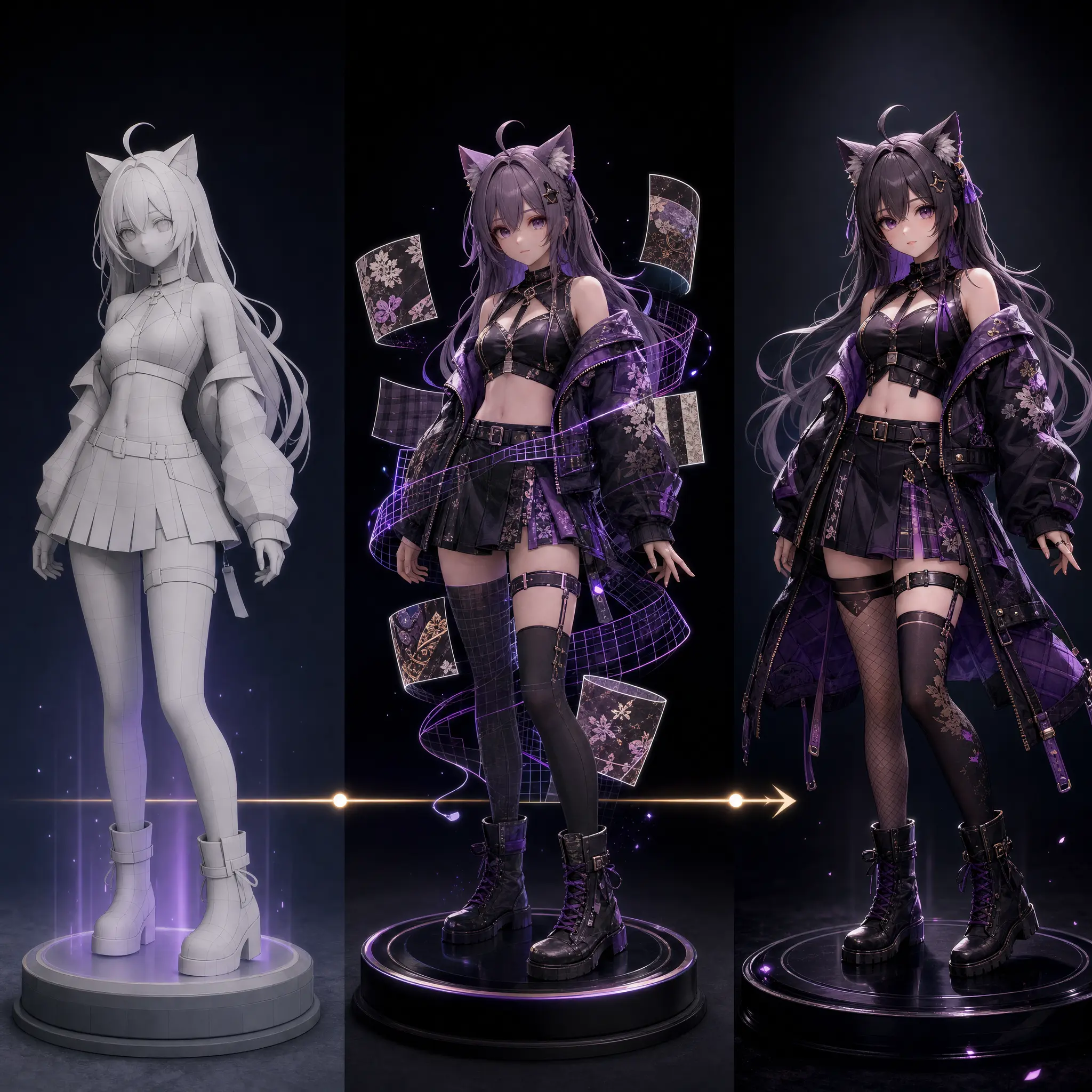
Build an avatar around your own identity

Create a custom VRChat avatar that matches your character concept instead of settling for a close-enough public option.
  • Use your own style direction
  • Control clothing, proportions, and mood
  • Create a more personal VRChat presence

Refine your avatar through multiple stages

The best custom avatar workflows support iteration, not just first-pass generation.
  • Generate a base model first
  • Add textures later
  • Continue toward rigging and preview

Move faster than a fully manual custom build

Get to a previewable custom avatar sooner, even if you do not want to start inside a full Blender or Unity pipeline.
  • Reduce early concept bottlenecks
  • Use prompts and references to save time
  • Focus manual effort on refinement instead
Custom VRChat avatar workflow with personalized model generation, texture refinement, and rig preview

How to create a custom VRChat avatar online

Use the creator workspace to build a personalized avatar step by step, whether you are starting from text, concept art, or existing character references.

01

Choose your custom avatar creation mode

Start with Text to Avatar, Text to Image, Image to Avatar, or Multi-image to Avatar depending on how much reference material you already have.

02

Add your prompt or reference images

Describe the custom character, upload one image, or provide front, back, and side references to guide the avatar’s look and structure.

03

Generate and preview your custom avatar

Review the generated image, 3D model, or rig result in the workspace so you can decide whether to refine, retry, or continue.

04

Improve the avatar with texture and rigging

Use Add Texture and Auto Rigging to keep developing the same custom avatar asset instead of starting over with a different tool.

Features for personalized VRChat avatar creation

Each feature supports a real part of the custom avatar workflow, from early concept exploration to model refinement and downloadable output.

Text to Avatar

Create a custom VRChat avatar from your own written character idea, style notes, and visual direction.
  • Describe outfit, body type, and overall vibe
  • Generate a personalized avatar concept in 3D
  • Great for creating custom avatars from scratch

Text to Image for character concepting

Explore the visual identity of your custom avatar before you commit to model generation.
  • Test custom character directions
  • Explore color and silhouette ideas
  • Refine visual intent before 3D generation

Image and multi-image to Avatar

Use custom references to improve how closely the avatar matches your intended character.
  • Start from one image or multiple views
  • Guide structure and outfit details
  • Better fit for custom reference-driven avatars

Add Texture

Refine the surface look of your custom VRChat avatar without discarding the base model you already like.
  • Rework materials and color direction
  • Use text, one image, or multi-image texture guidance
  • Keep improving the same avatar asset

Auto Rigging

Push the custom avatar further into a usable workflow by applying rigging and testing movement presets.
  • Rig generated models automatically
  • Preview idle, walk, and other motion states
  • Move toward a more complete custom avatar asset

Preview and Download

Inspect progress and results in one place, then download supported outputs for your next step.
  • Preview image, model, and rig results
  • Track generating, complete, deferred, and failed states
  • Download GLB or FBX outputs

Popular directions for custom VRChat avatars

Most personalized avatar projects start with a strong style direction, then get refined through references, textures, and iteration.

Custom anime VRChat avatars

Create anime-style custom avatars with your own outfit ideas, silhouette, color palette, and personality.

Custom furry VRChat avatars

Build furry avatars from species references, personal traits, and unique style direction instead of using generic bases.

Cyberpunk female avatars

Design neon-lit female avatars with cyberpunk outfits, bold silhouettes, synthetic details, and VRChat-ready character attitude.

Structured for custom avatar workflows

This custom VRChat avatar creator is built around the stages users actually move through when creating a personalized avatar asset.

6

Creation modes

Text to Avatar, Text to Image, Image to Avatar, Multi-image to Avatar, Add Texture, and Auto Rigging.

3

Custom input paths

Start from a text prompt, a single image, or a multi-view reference set.

GLB / FBX

Output formats

Download supported outputs for preview and downstream workflow steps.

Built for people who want a real custom avatar

The strongest demand around custom VRChat avatar creation is not just speed. It is ownership, control, and the ability to keep refining one character idea.
★★★★★
I wanted a custom VRChat avatar that actually matched my character idea instead of another public model with small edits. This is the kind of workflow I was looking for.
VRChat Player

VRChat Player

Personal avatar creator
★★★★★
Being able to start from my own references, get a custom base model, and keep going into texture and rigging is what makes this more useful than a generic avatar generator.
Avatar Artist

Avatar Artist

Custom character workflow user
★★★★★
For character pre-production, I need a fast way to get from direction to a 3D draft I can still improve later. That is what makes this workflow valuable.
Creative Producer

Creative Producer

Concept and iteration lead

Frequently asked questions

Answers for users searching for a custom VRChat avatar creator, a personalized avatar workflow, or a way to create their own custom VRChat avatar online.

A custom VRChat avatar creator is a workflow for building your own personalized avatar from text, references, or concept images, then continuing through model, texture, rigging, preview, and download steps.
Yes. You can create a custom VRChat avatar online by starting with text prompts, a reference image, or a multi-view character sheet inside the workspace.
Yes. The workflow supports one image or multiple views so you can guide the avatar toward your own custom design direction.
A public avatar browser helps you find existing avatars. This custom VRChat avatar creator helps you build a personalized avatar asset based on your own idea and references.
Yes. One result can continue into texture refinement, rigging, preview, and later-stage workflow steps instead of being treated as a one-off generation.
You can create many personalized directions, including anime, furry, cute, and other custom VRChat avatar styles.
Supported output formats include GLB and FBX for preview and downstream avatar workflows.
Yes. The product is designed to lower the barrier for users who want a custom VRChat avatar without already mastering the full manual 3D production pipeline.

Create your own custom VRChat avatar

Open the workspace, start from your idea or references, and build a personalized VRChat avatar you can keep refining.